Tools - Murmurate
Murmurate wraps an existing Grasshopper definition, publishes it as a named tool, and makes it callable by an AI assistant. The agent is not handed a blank canvas. It is handed a deterministic tool which will perform the desired logic every time.
Murmurate is in pre-release. Sign up to find out when it will be public and get early access for testing. Rhino 8 or Rhino 9. Windows installer. Works with Claude Desktop, Claude Code, or any other client that speaks the Model Context Protocol.
How It Works - Definitions Become Tools Inside Grasshopper
No configuration file, terminal, API key or code. Murmurate takes the definitions that already hold your logic and adds a name, a description, typed inputs and a place to publish.
Step 1 - Build
Wrap the logic in an AI tool component and describe its inputs and outputs. The inner canvas works exactly like a native cluster.
Step 2 - Publish
One click writes the tool to the library as a single self-contained file. The definition travels inside it, ready to version or send.
Step 3 - Connect
Point an AI assistant at Rhino once. Every tool published from then on appears in the assistant automatically, with no restart.
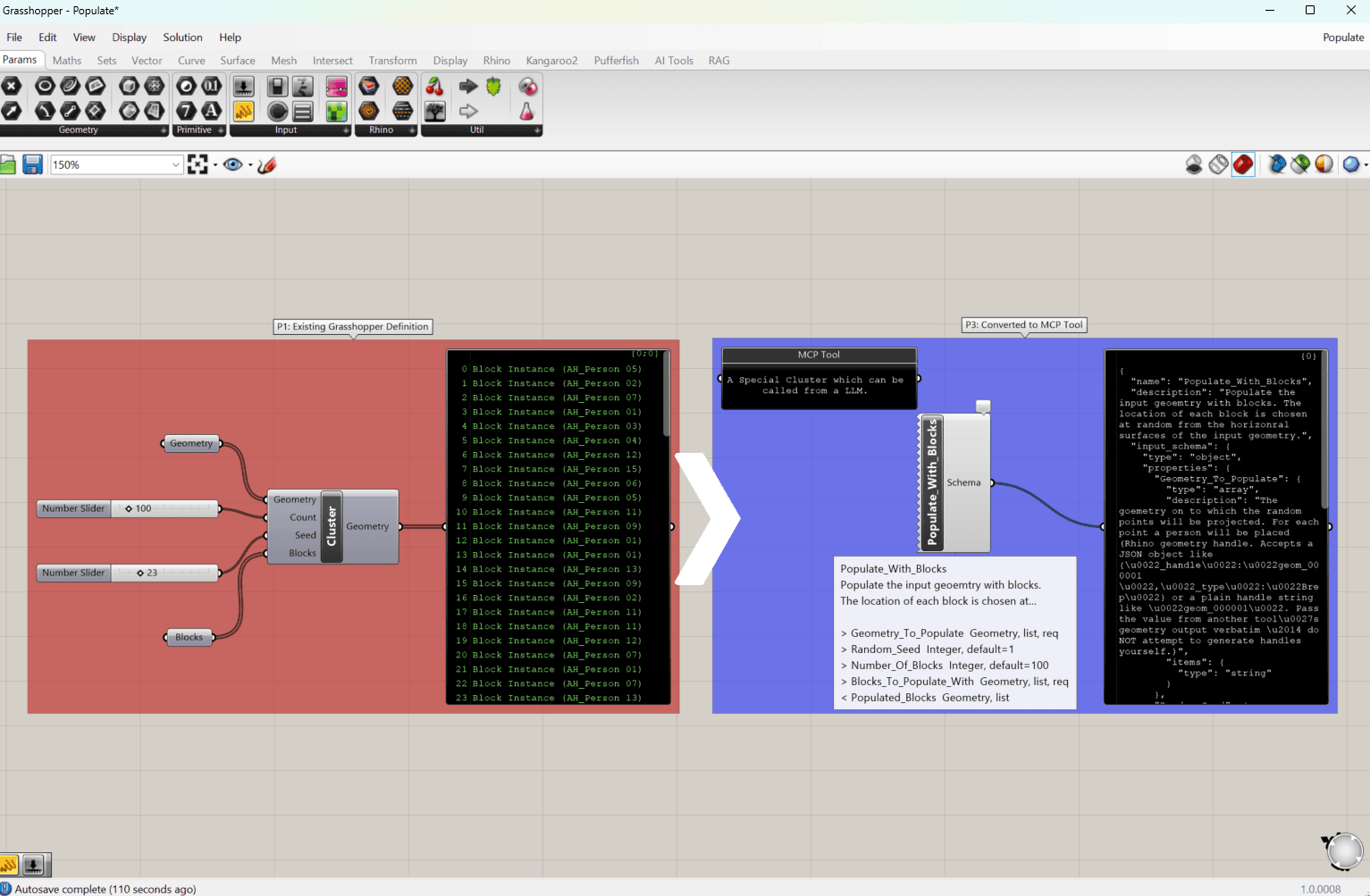
Grasshopper Workflow - Authoring Never Leaves the Canvas
Double-clicking the tool component opens an inner canvas, where the definition is built as anywhere else in Grasshopper. The reasoning is in our article on self-describing clusters.
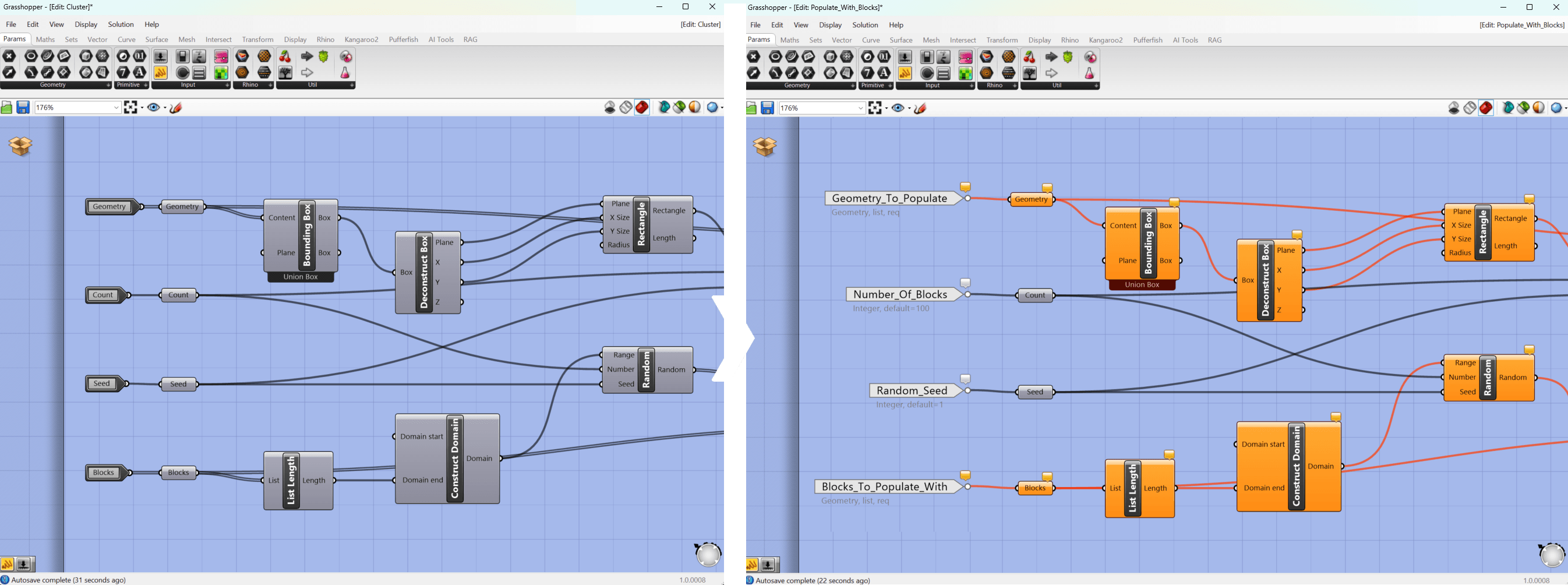
Tool Interface - The Inputs and Outputs Are Declared, Not Inferred
Input and output parameters placed inside the definition give each value a name, a description and a type. This is what the LLM reads to understand how it can run the tool.
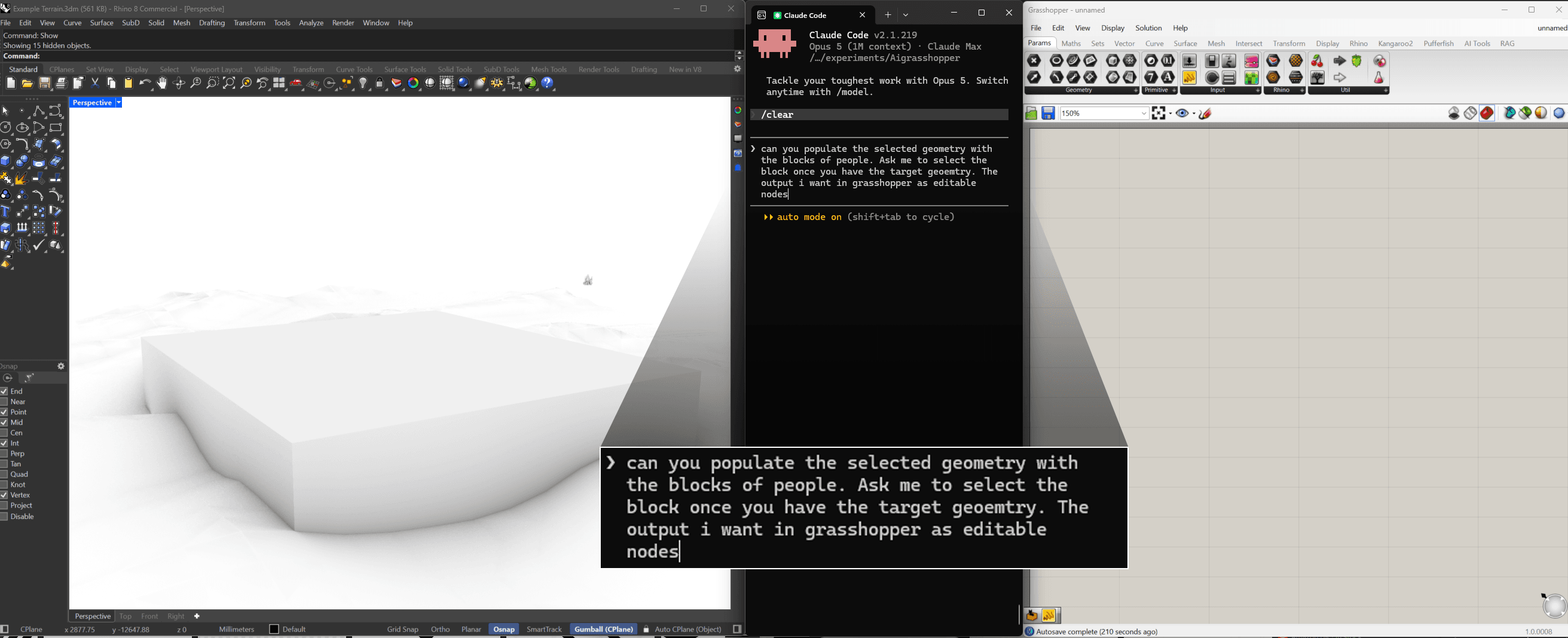
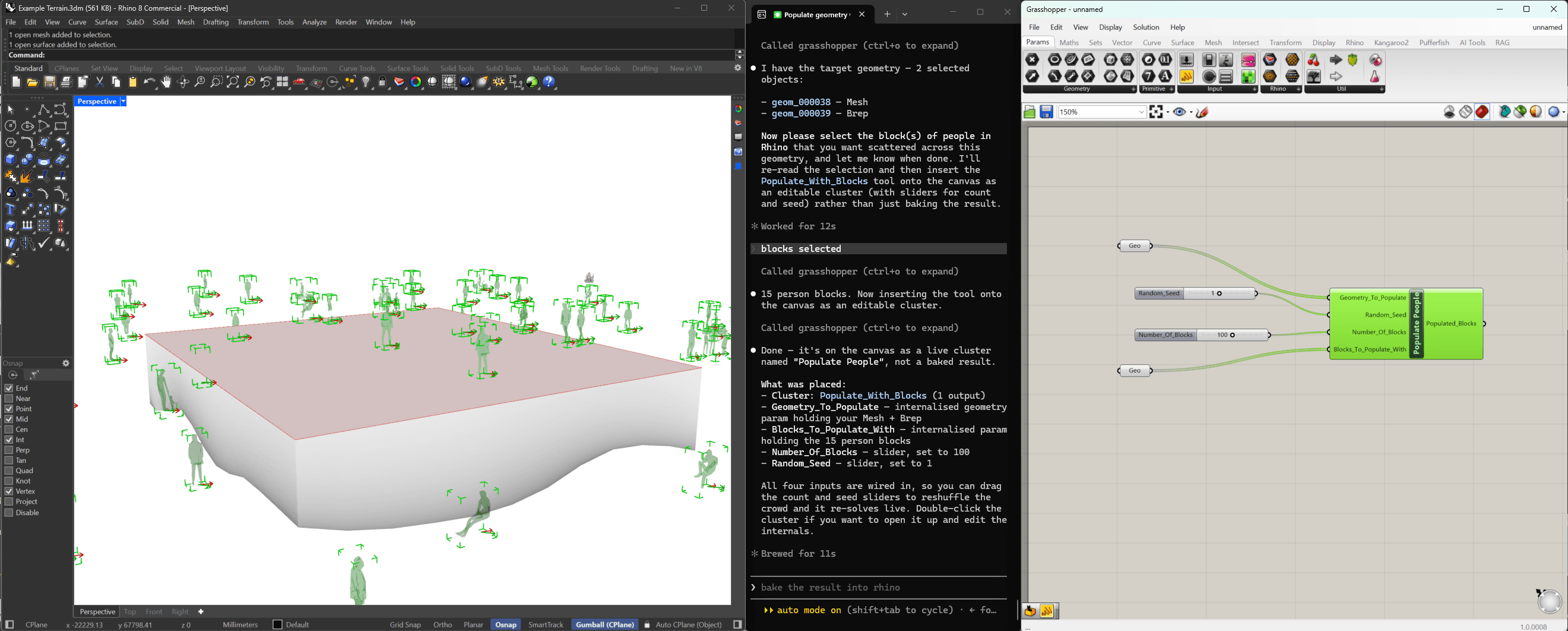
In Practice - The Results
A prompt goes in; geometry comes back, baked into the Rhino model, placed on the canvas or passed into the next tool. The assistant can also read the current Rhino or canvas selection.
Have a library of definitions worth automating?
Tell us what your team runs by hand and see what an assistant could run instead. We'll start with a short, no-obligation discovery call.